


ChatGPT × VIXNODE Plugin Integration
Build and manage your website through natural conversations with ChatGPT. VIXNODE helps plan your site, create pages, refine the design, and publish updates.
Website creation and design


Create a new website / Create a new web page for the website
Create a blank website or select an appropriate sample website. Create the web page using image recognition, prompts, or import web page file, source URL.

Web page layout and theme change
Learn to adjust page layouts and theme colors in VIXNODE and through ChatGPT.

Create Pages from Prompts
Learn to create web pages from prompts in VIXNODE and through ChatGPT.

Create Pages from Images
Learn to create web pages from reference images and prompts in VIXNODE and through ChatGPT.
AI nodes and content

Edit Web Page Elements with AI
Learn to edit web page elements using natural language in VIXNODE and through ChatGPT.

Explain Nodes / Ask About Nodes
You can let the AI explain the current element node. You can ask AI about the current element node, or any related questions.

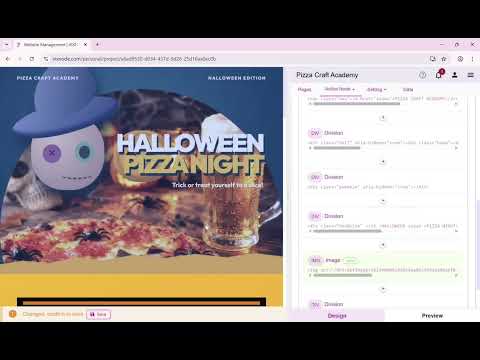
Generate Images
You can ask AI to generate relevant pictures through prompts.

Publishing and website management

Setting SEO metadata for the web page using AI
You can set SEO metadata for the web page using AI, including title, description, data structure, and other relevant information to improve the website's search engine ranking and visibility.


Schedule a Published Page
Configure when a published page is public or private using Public, Start Time, and End Time.
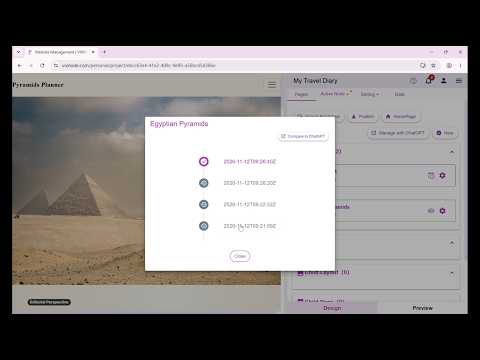
View and restore webpage modification history
You can view the modification history of the web page and restore it to a previous version. This allows you to easily track changes and revert to a stable state if needed.

Invite website members
Invite website collaboration members to join the website. You can cerate roles and set permissions for each role to manage the website more efficiently.

Manage Published Files
You can manage published files such as web page files and API data source files in the published file management section. You can view the details of published files, delete or update them, and easily manage the content of your website.

Set a Bandwidth Limit
Schedule a project bandwidth limit, monitor usage, and temporarily suspend the published page when the limit is reached.
Resources and data integration

Manage Resource Files
You can manage resource files such as images, videos, and documents in the resource management section. You can upload new files, organize them into folders, and easily insert them into your web pages.

Set API connection data source
Set the API URL and authorization information. After confirmation, the system can create and retrieve data sources. Afterwards, you can select the data source in the element properties to bind the element to the external API.
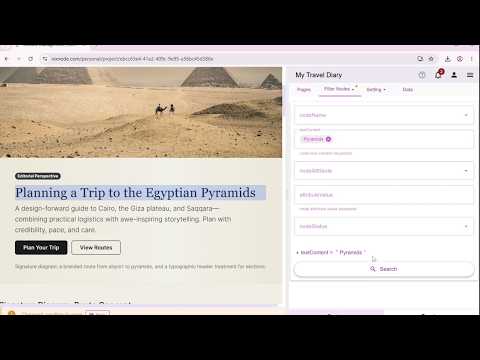
Filter to find web page nodes / Manage External Links
You can easily find and locate nodes on a web page using specific filters, allowing you to quickly and accurately locate the elements or content you need. View external resource nodes in the External Links section, and perform actions such as opening links, editing, removing, and uploading resources.